Workflow Details
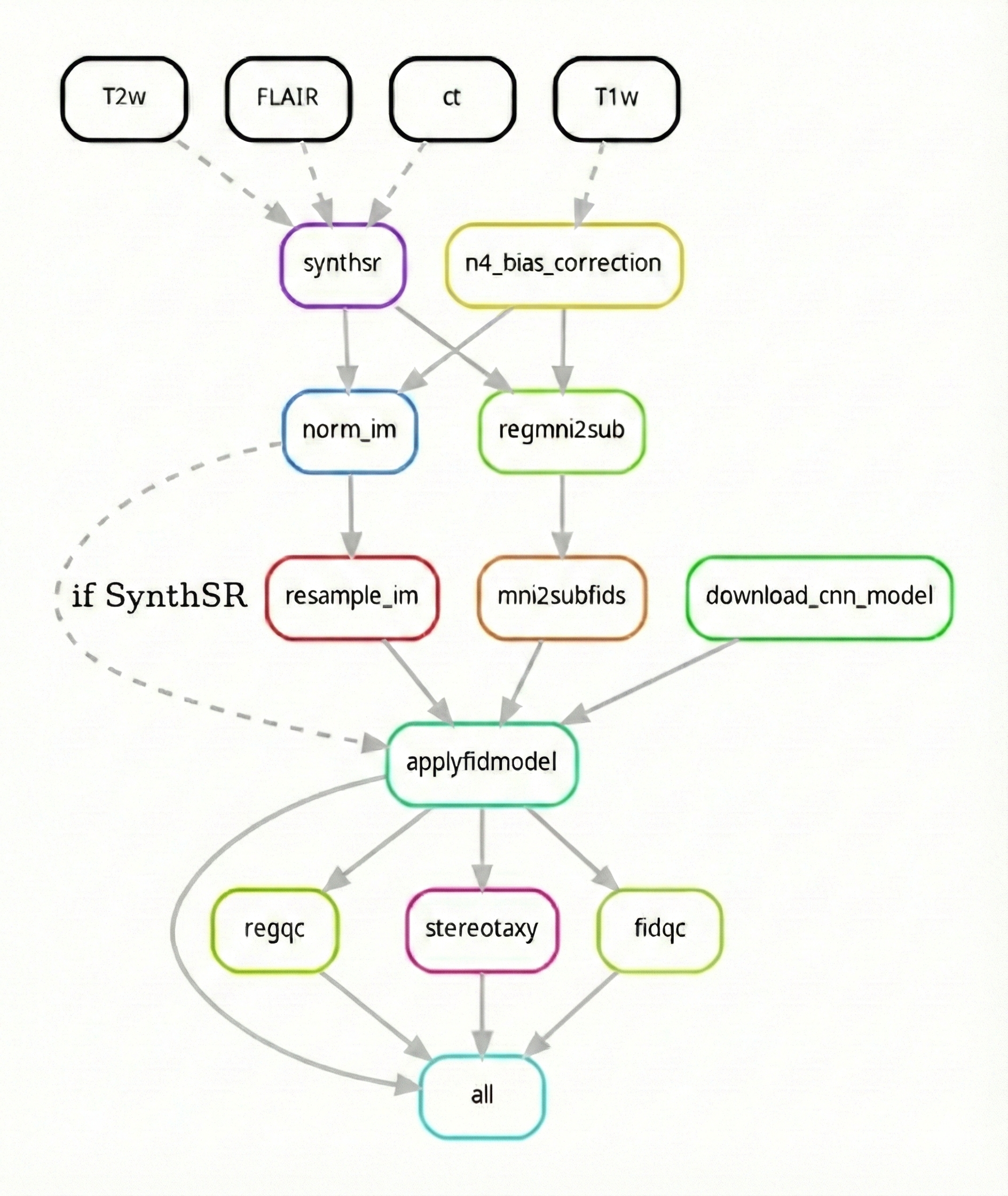
This section describes the Autoafids workflow (i.e. steps taken to produce intermediate and final files). Autoafids is a Snakemake workflow, and thus a directed acyclic graph (DAG) that is automatically configured based on a set of rules.
Overall workflow
Below is an image exhibiting the workflow DAG. Each rounded rectangle underneath the modality input row (T1w, T2w, FLAIR, ct) in the DAG represents a rule (i.e. some code or script that produces an output), with arrows representing the connections (i.e. inputs / outputs) to these rules.
Processing landmark data (AFIDs)
Extract fiducial points from the landmark files (.fcsv is supported)
Generate a landmark Euclidean distance/probability map with each voxel communicating distance to an AFID of interest
Train
Currently, we support generating your own models (i.e., training) in a sperate workflow (i.e., afids-cnn: https://github.com/afids/afids-CNN). For more details, see Known Issues.
Apply
Use the classic BIDS App syntax to genereate output AFID .fcsv files. For other derivative outputs, the following flags will be supported:
--fidqc: for quality control of landmark prediction in the form of (*html) format
--regqc: for quality control of registration on a BIDS dataset and its derivatives (e.g., fMRIPrep or LeadDBS derivative outputs)
--stereotaxy: predicts a .fcsv file with stereotactic targets (e.g., subthalamaic nucelus) also providing AC-PC transform files in the process
--charing: to make use of AFID charting analysis on a given dataset